Flow OS
Timeline
1 month
Year
2025
Timeline
1 month
Year
2025
Flow OS explores an intelligence layer that supports big-tech product designers with memory, context, and real-time reasoning across every stage of the process.
Product design work is distributed across research platforms, documentation tools, prototyping environments, design systems, and engineering workflows. AI assistants today operate as isolated prompt responders. They lack persistent memory, workflow awareness, and the ability to understand project structure or anticipate designer needs.
Build an intelligent OS that reduces cognitive load for product designers by connecting research, flows, UI, and engineering artifacts into one AI-powered, continuously updating system.
Product Designer
Conducting research,
Systems Thinking,
Wireframing,
iterating on designs,
High-fidelity prototype
To understand how designers work today, I interviewed senior product designers, design leads, and cross-functional partners across large tech teams. The goal was to map their end-to-end workflow, identify friction points, and uncover where AI fails to support real design work. Research revealed that while designers have access to powerful AI tools, none of them operate with system-level awareness across the full product lifecycle.
Designers jump between research docs, design files, prototyping tools, and engineering platforms. This breaks flow and adds cognitive overhead.
AI tools only respond to isolated prompts. They can’t track project history, decisions, or system structure, forcing designers to constantly restate context.
Specs, summaries, and design-to-engineering handoffs require repetitive manual work. Current AI tools produce shallow outputs because they lack system awareness.
Personas were selected by conducting user research and identifying common pain points, that frustrate and block the user from getting what they need from a product.
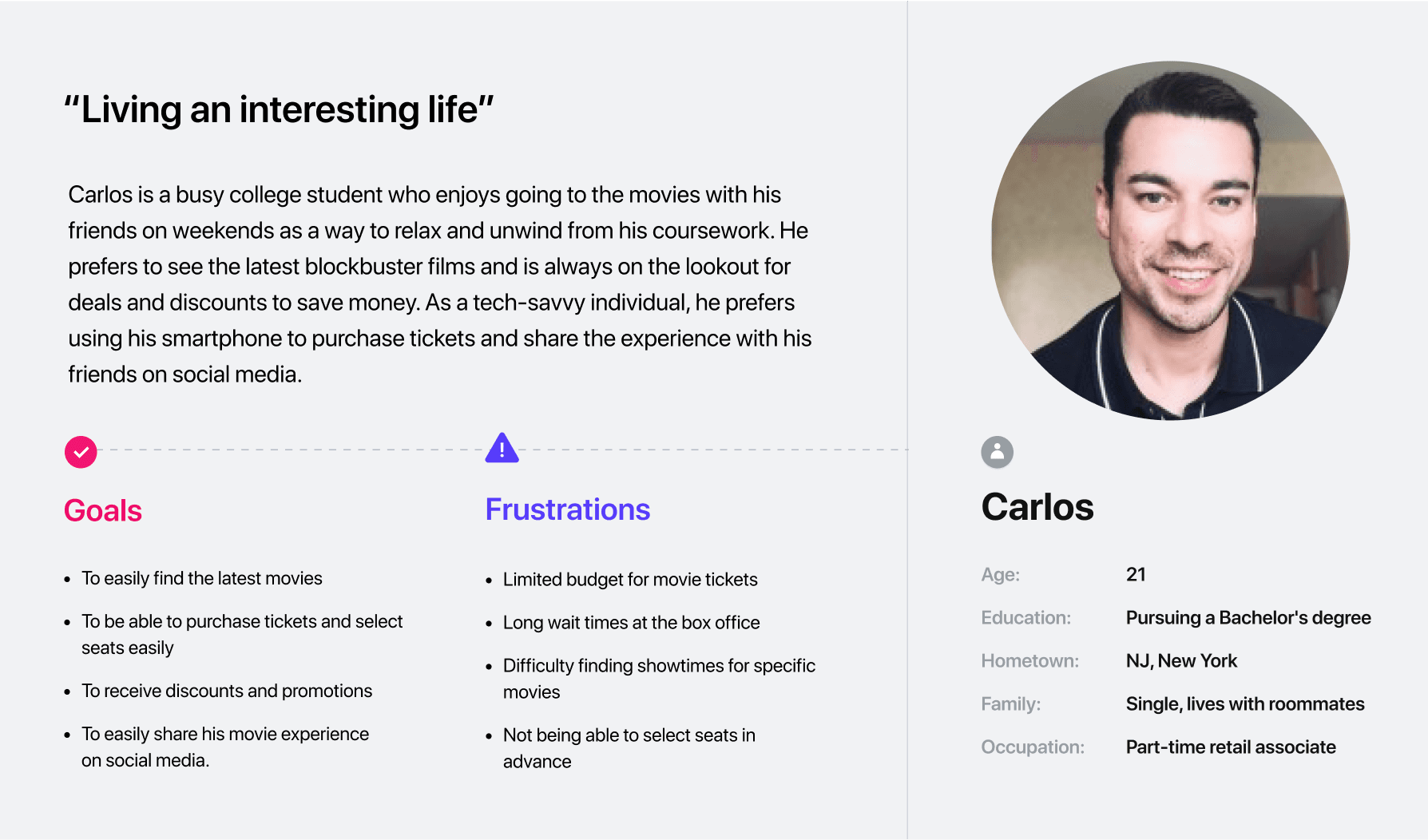
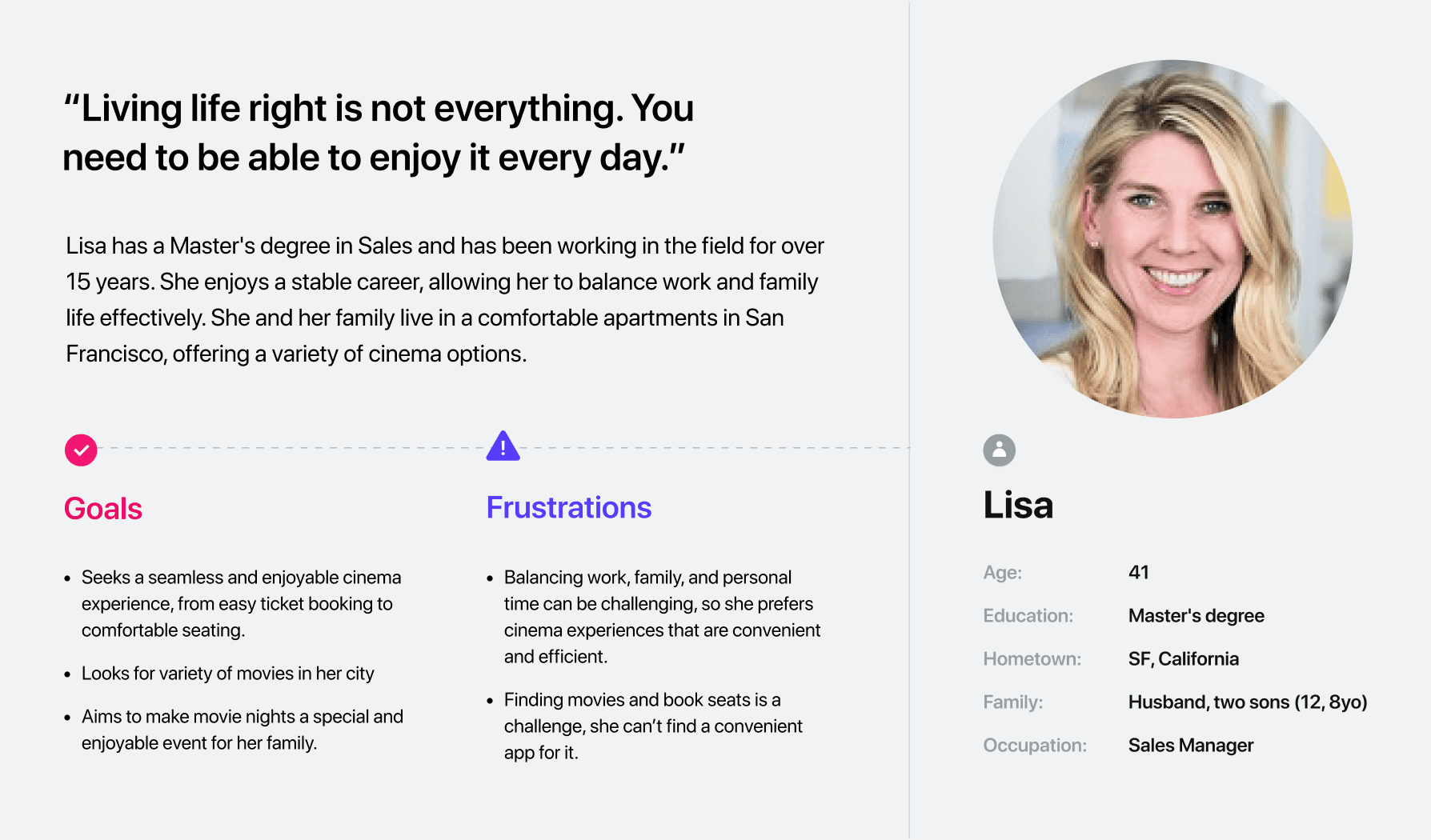

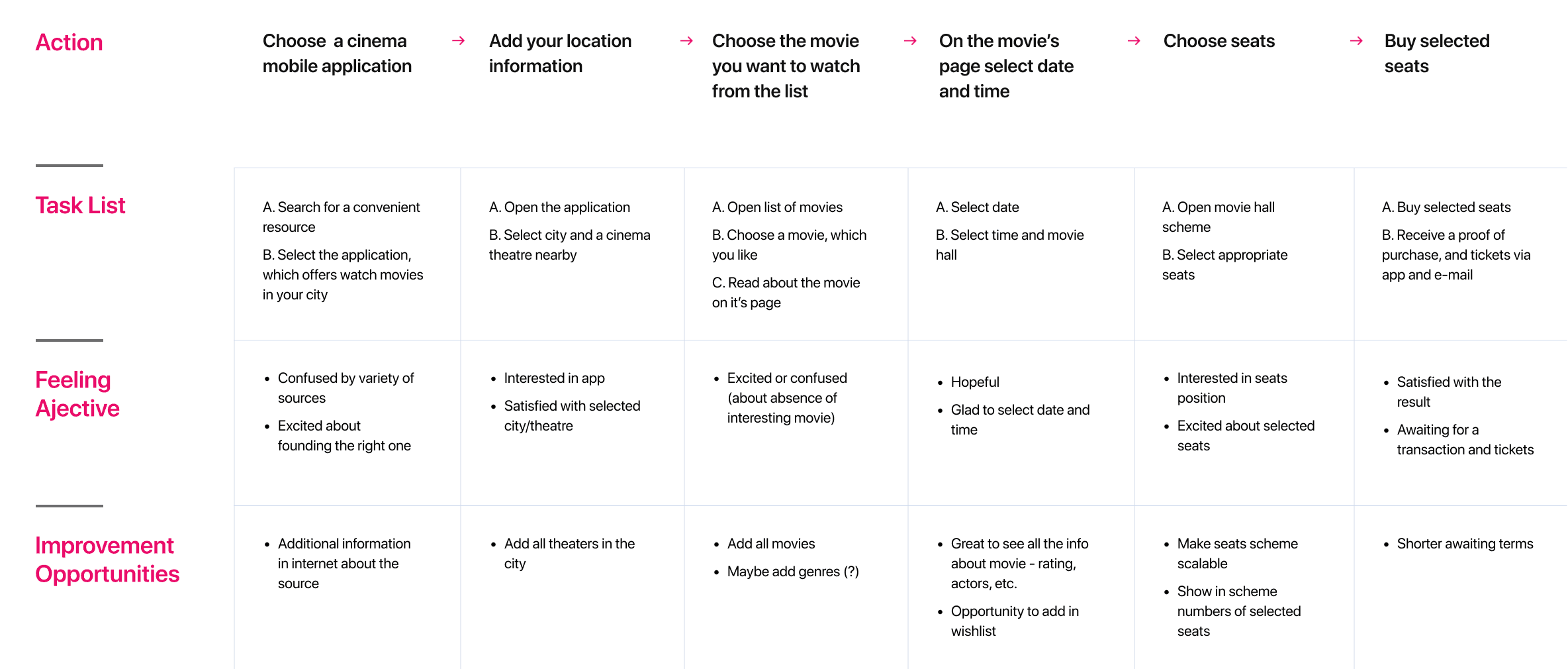
This journey map outlines how a product designer navigates a typical workflow today, highlighting friction points and opportunities for intelligent system intervention.
Streamline a designer’s end-to-end workflow by connecting research, ideation, design, and documentation into one intelligent, context-aware system.
I created various diagrams and storyboards to clarify and analyze the app's information and architecture. Afterward, I sketched paper wireframes and then transitioned to digital wireframes, building a low-fidelity prototype to conduct initial usability studies with stakeholders.
The series of hand-drawing frames that visually describe and explore a user's experience with a product.
I began with drawing storyboards to focus on just the most important parts of a user’s experience with the app. It's a story that was told through the panels, revealed it two different way
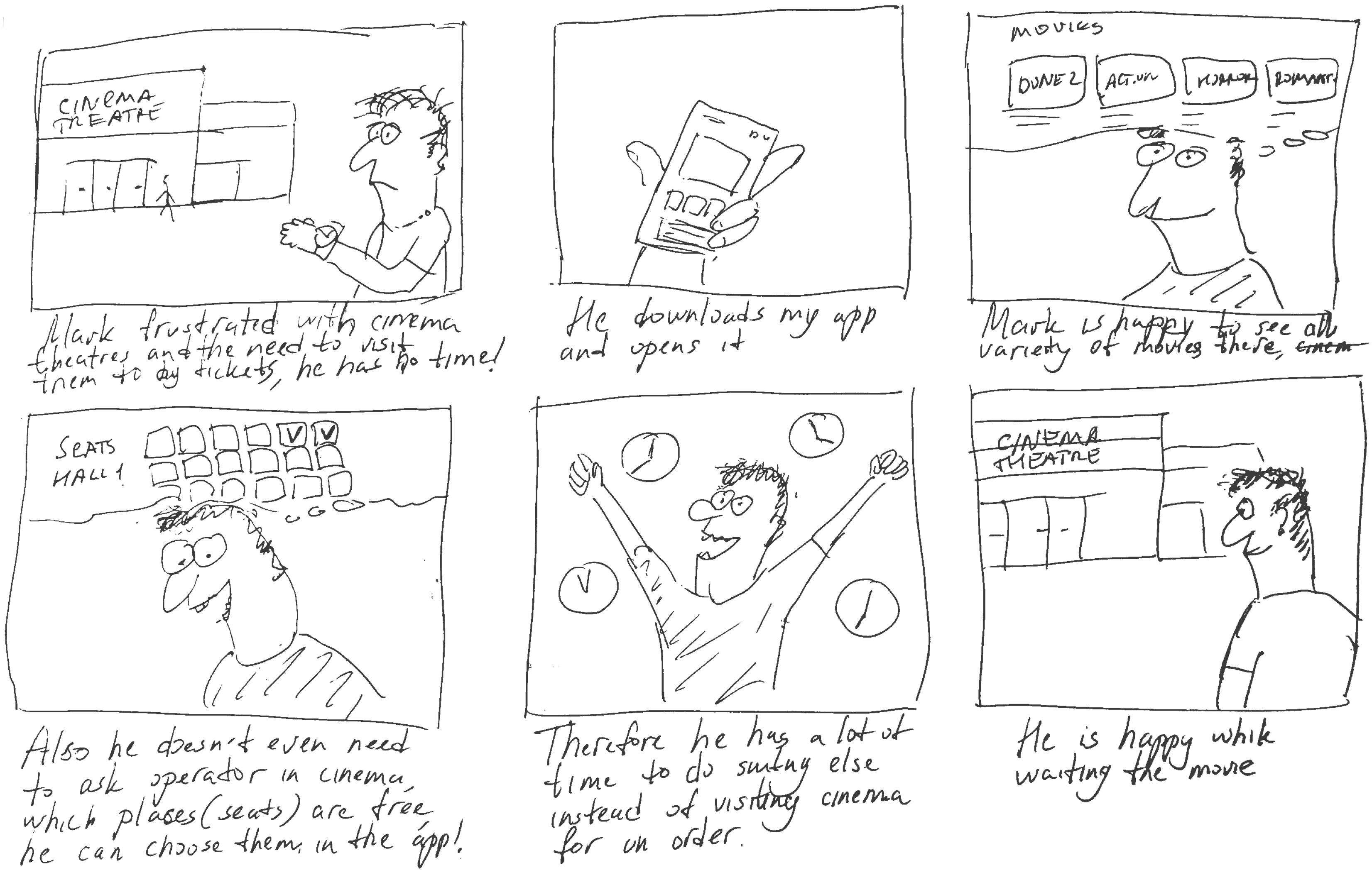
Big picture storyboard, which focuses on the user experience. It's about how people will use the Voo's app during their day and it will be useful.
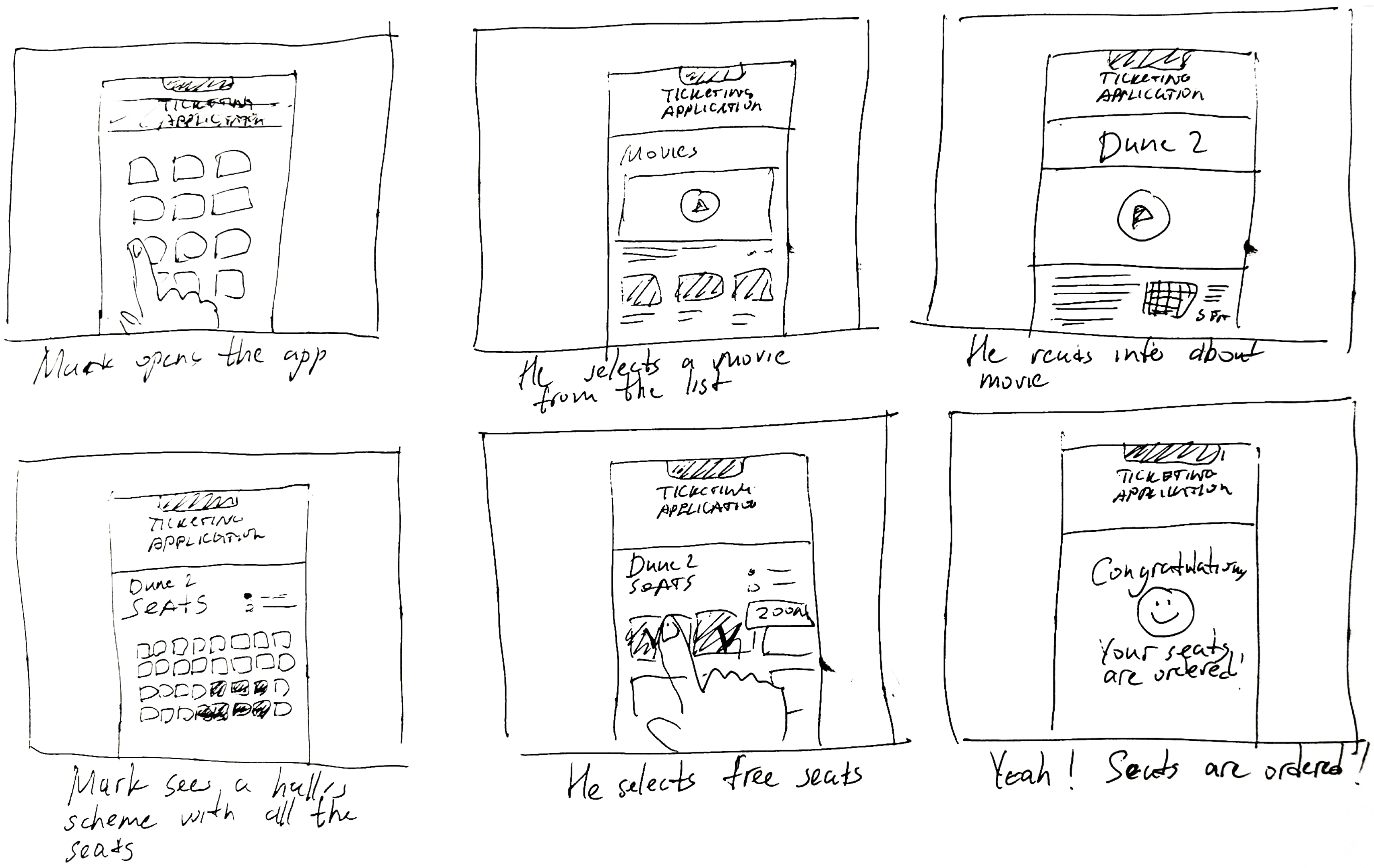
Close-up storyboard focuses on the app instead of on the user experiencing that product. Shows what happens on each screen of the app.
It's a structured scheme that outlines the pages and content hierarchy of the app.
Next step: creating the application map. My goal here was to make strategic information architecture decisions that would improve overall app navigation. The structure I chose was designed to make things simple and easy.
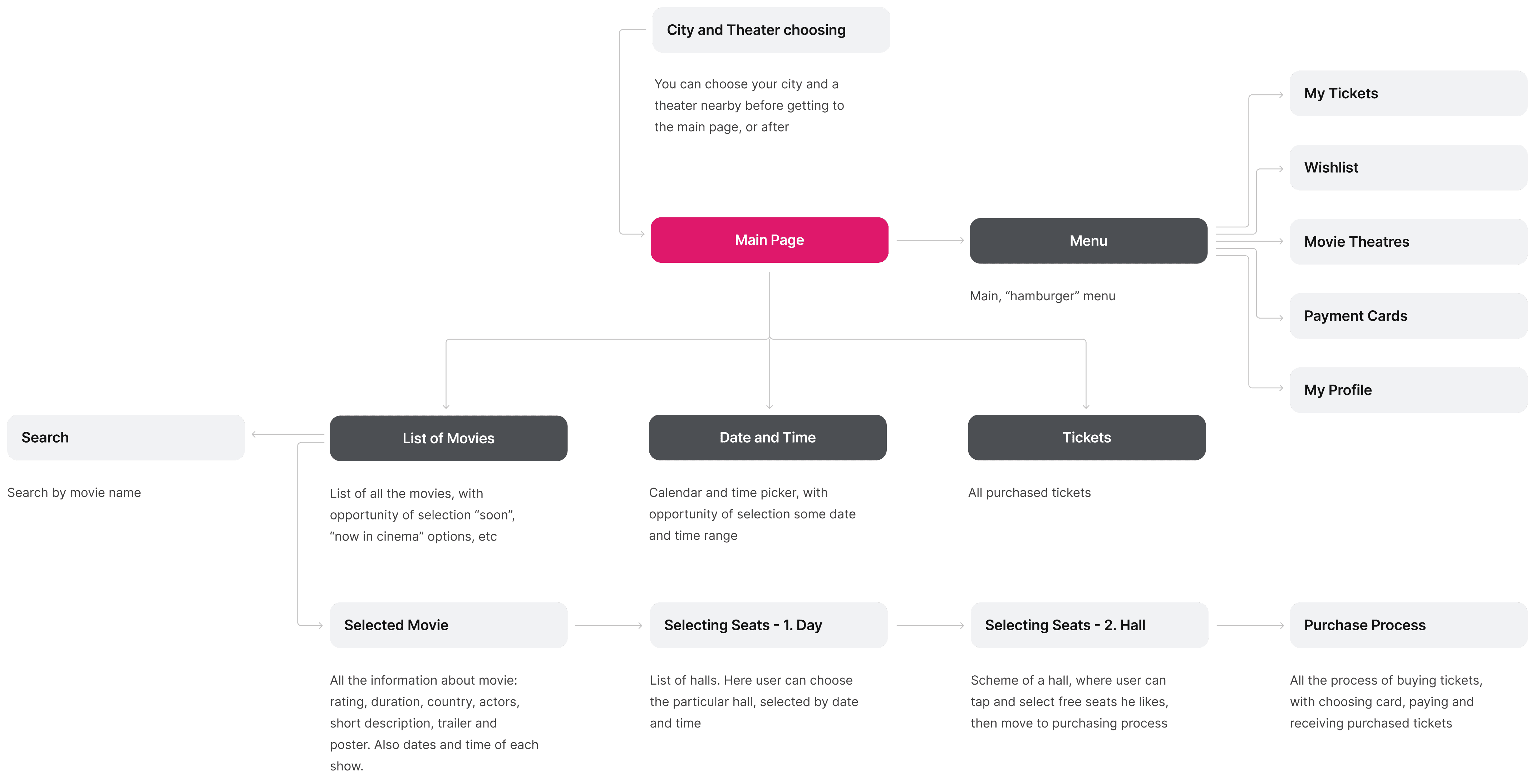
They initially oriented on the basic structure of the homepage and highlight the intended function of each element.
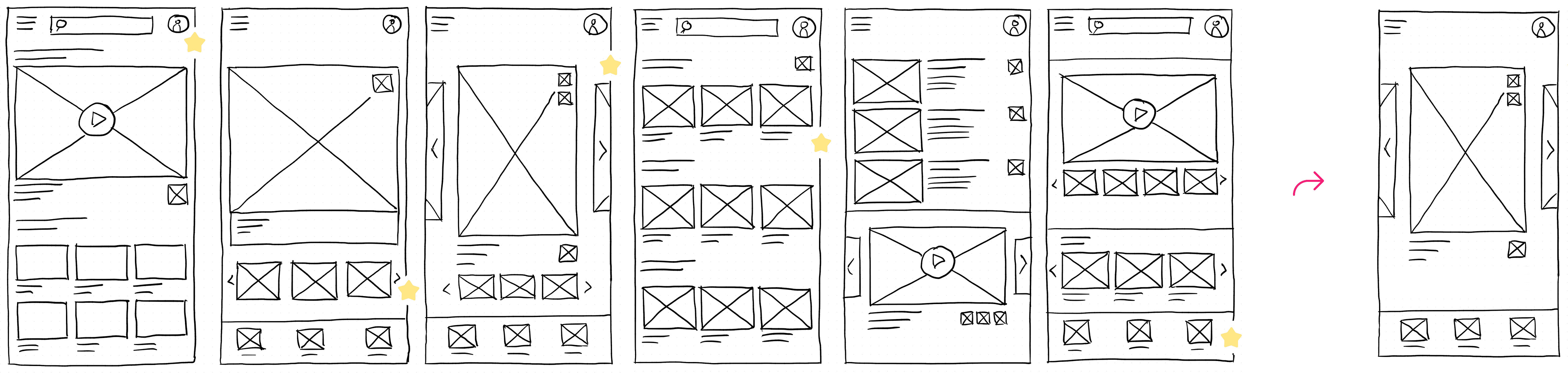
Here I drew five different versions of how structure of information on a homepage might look like. Then I reviewed all the versions and combined them in the refined one.
The goal was to explore different ideas with wireframes.
More "clear" version of wireframes in a digital form. Also all the important pages are added
in it.
On this step I used the Figma design tool to create digital wireframes of all the pages. Then I bonded all of them into the clear and smooth structure.
The goal is to show how all the pages and things interact with each other.

This is an examination of users and their needs, which adds realistic context to the design process.
First I conducted unmoderated usability studies with a few participants: they had to answer different questions about the app and share their observations while using the initial low-fi prototype. After getting the data, I analyzed it and synthesized the information obtained. Finally, I found themes and came up with several insights.
The goal was to identify pain points that the user experiences with the app designs so the issues can be fixed before the final product launches.
In the beginning, before choosing a city and theater, it would be great to look through the whole app and learn everything about it.
There are no movie search - it's necessary to add it on the movies list page.
If user wants to change his account, he should be able to log out or delete it completely.
On this step, first I created a static, high-fidelity Voo's app design (keeping in mind all the conclusions from the previous phase of usability studies) that is a clear representation of a final product called design mockups.
After that, I created a high-fidelity prototype of the app.
These are a high fidelity design that represents a final product
I created all the app pages mockups, incorporating the right design elements such as typography, color, and iconography. I also included captivating and visually appealing images, and developed all the necessary components and elements.
The goal was to demonstrate the final Voo's app in as much detail as possible.
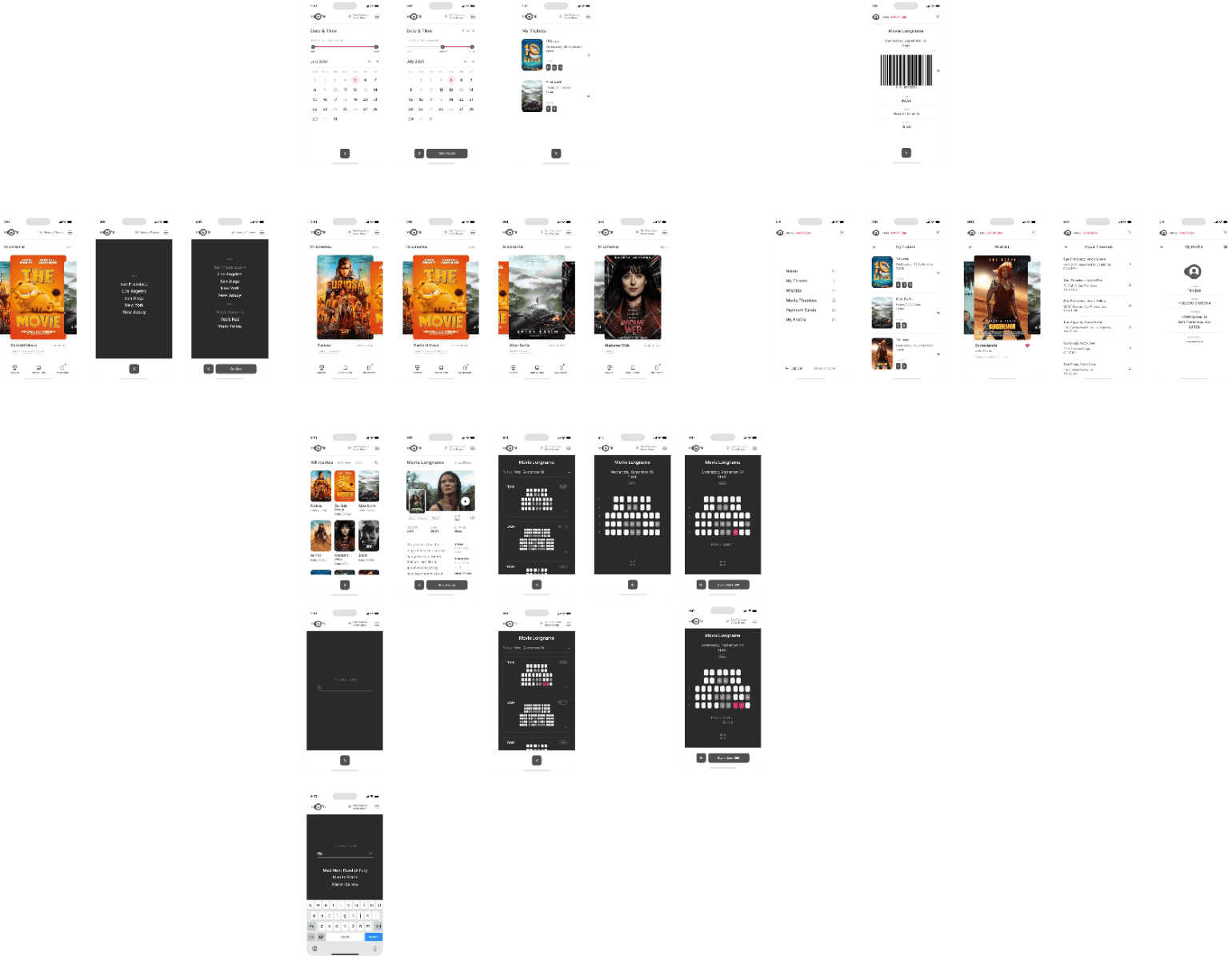
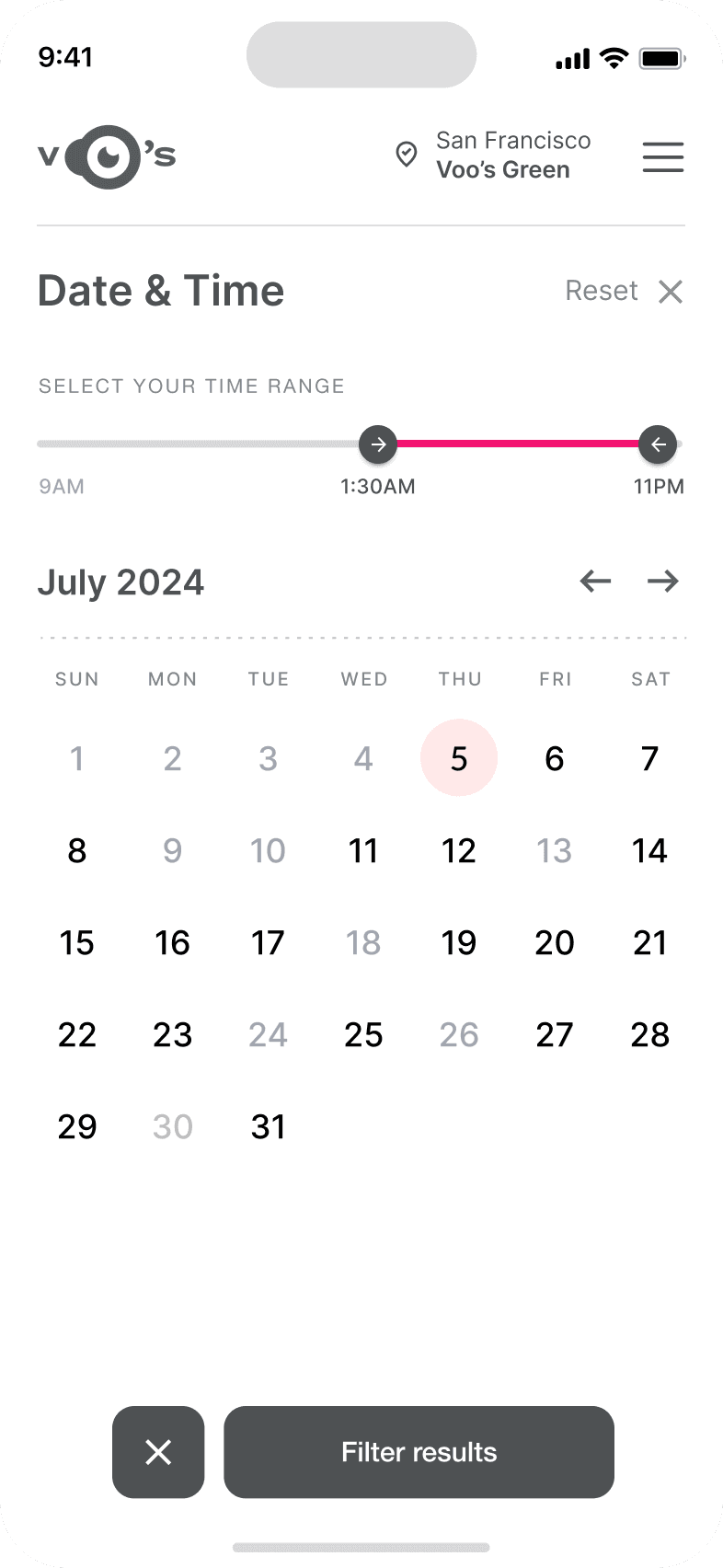
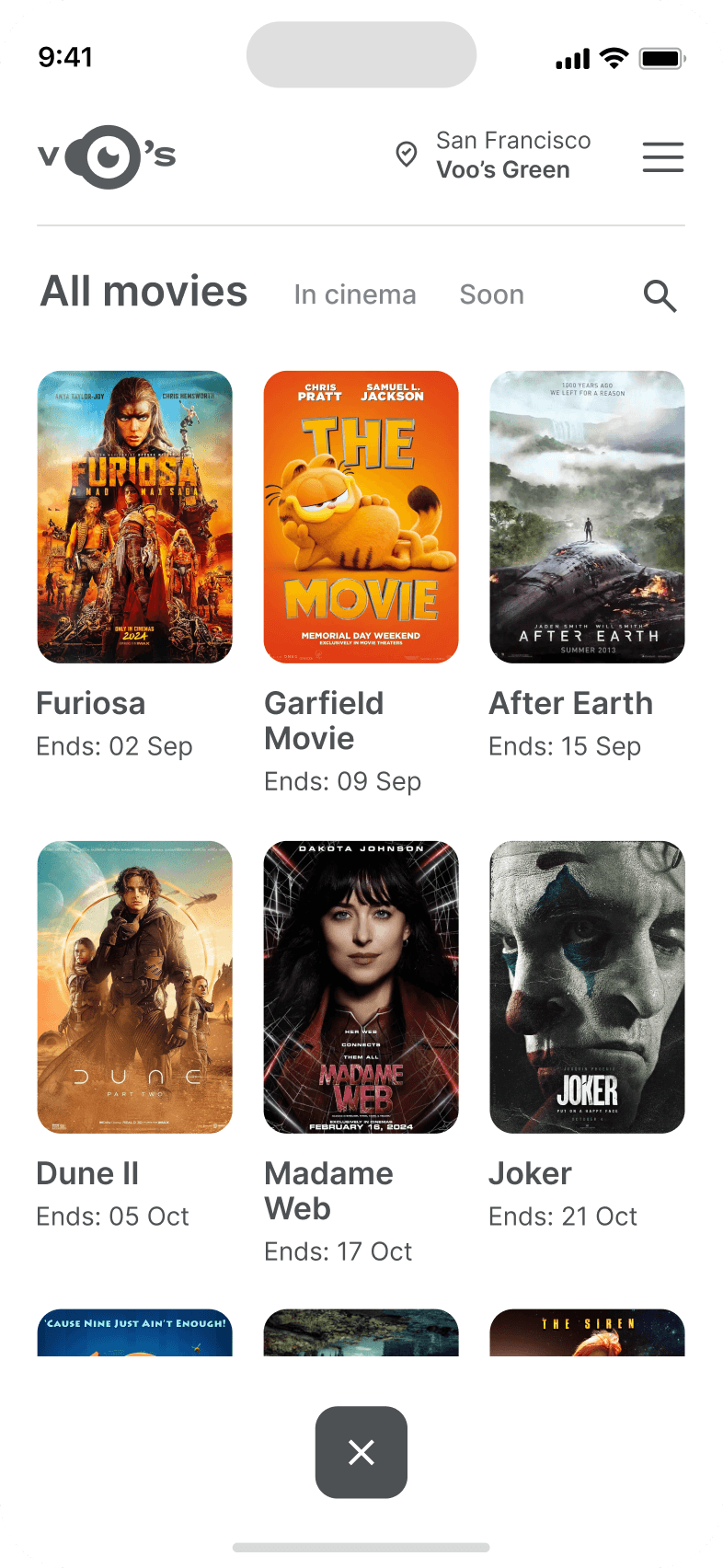
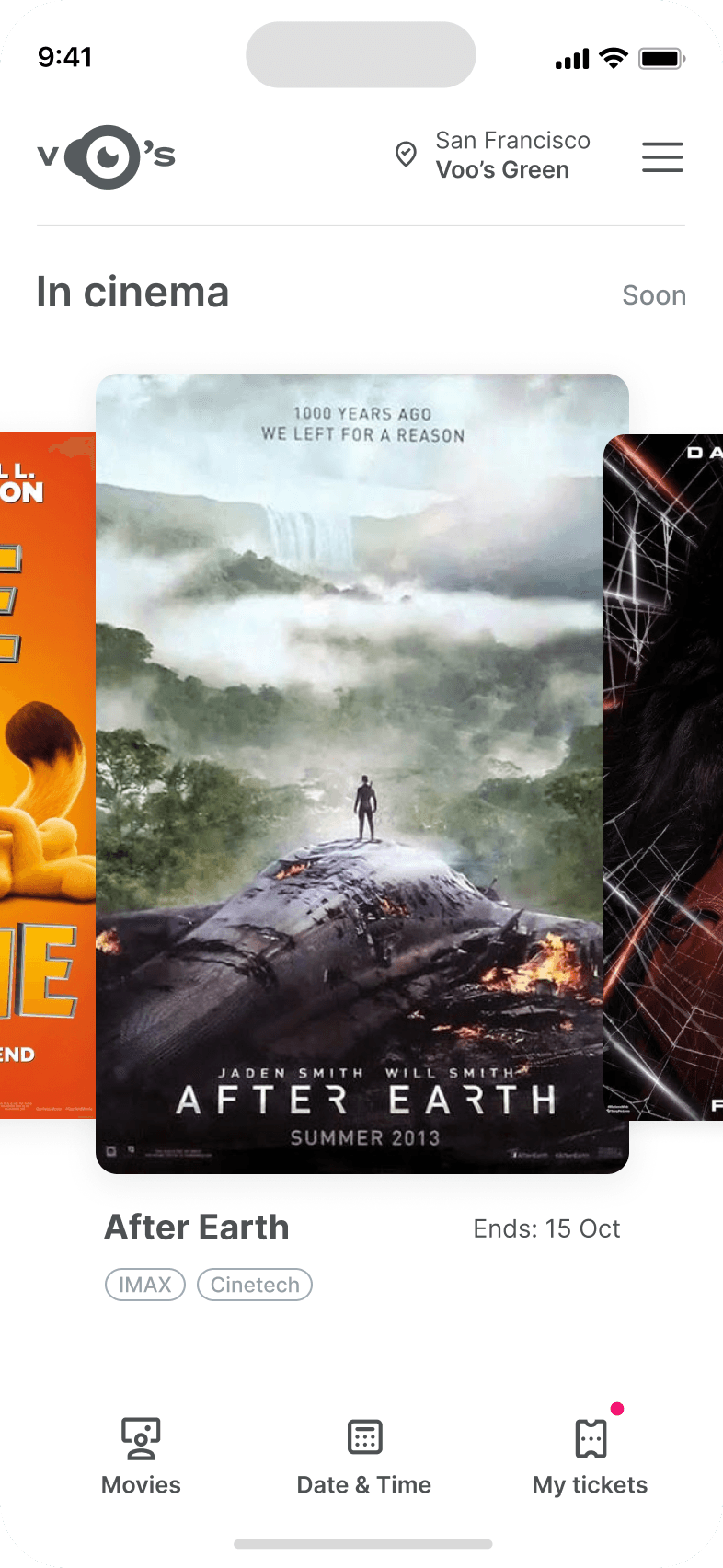
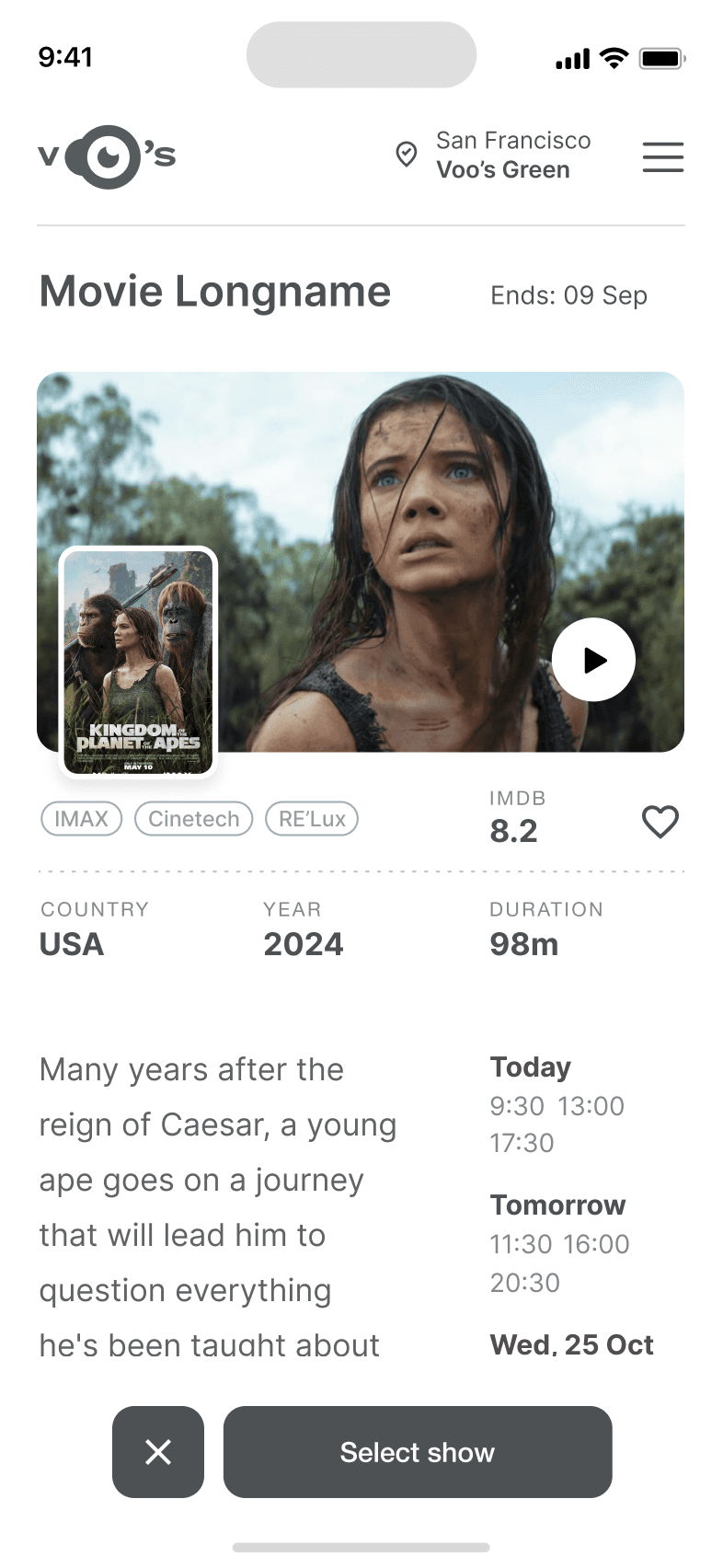
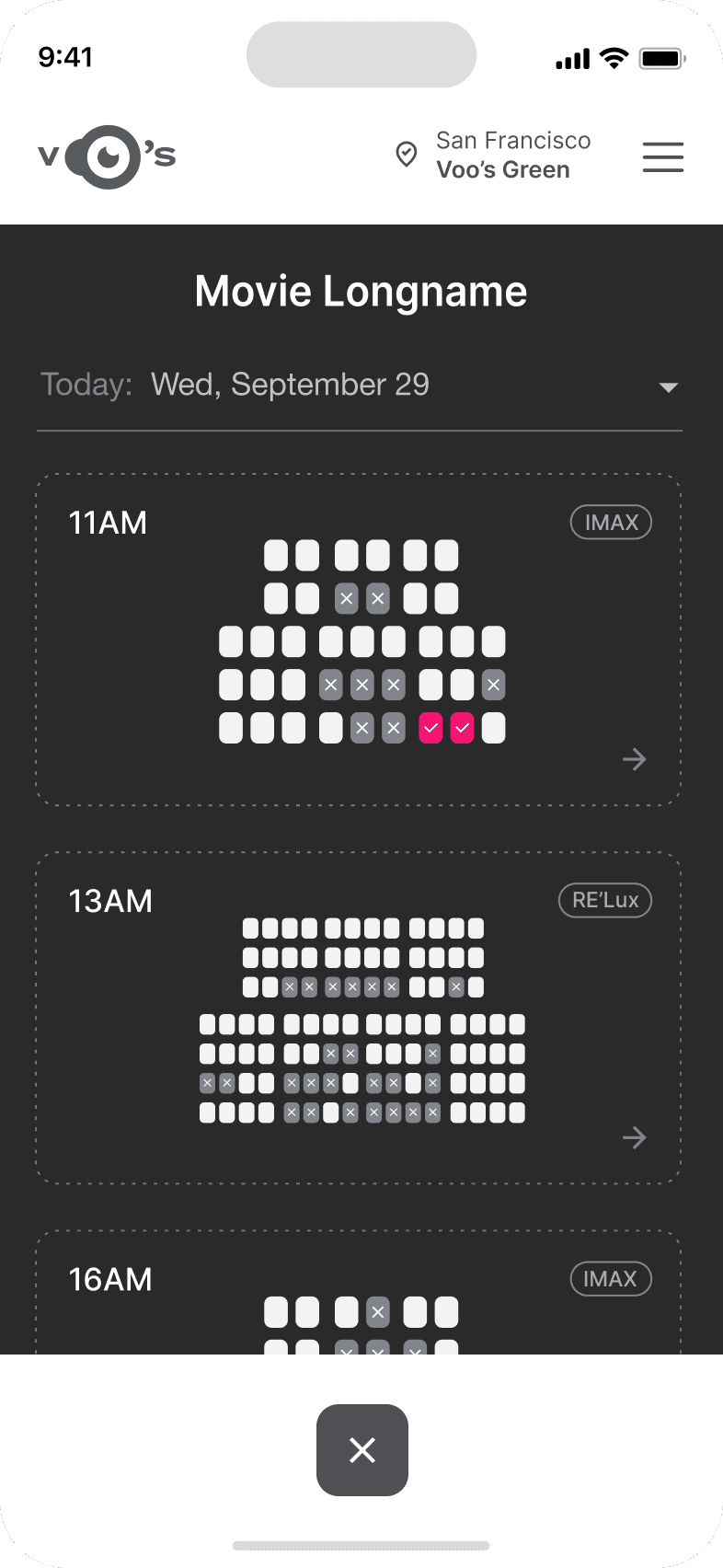
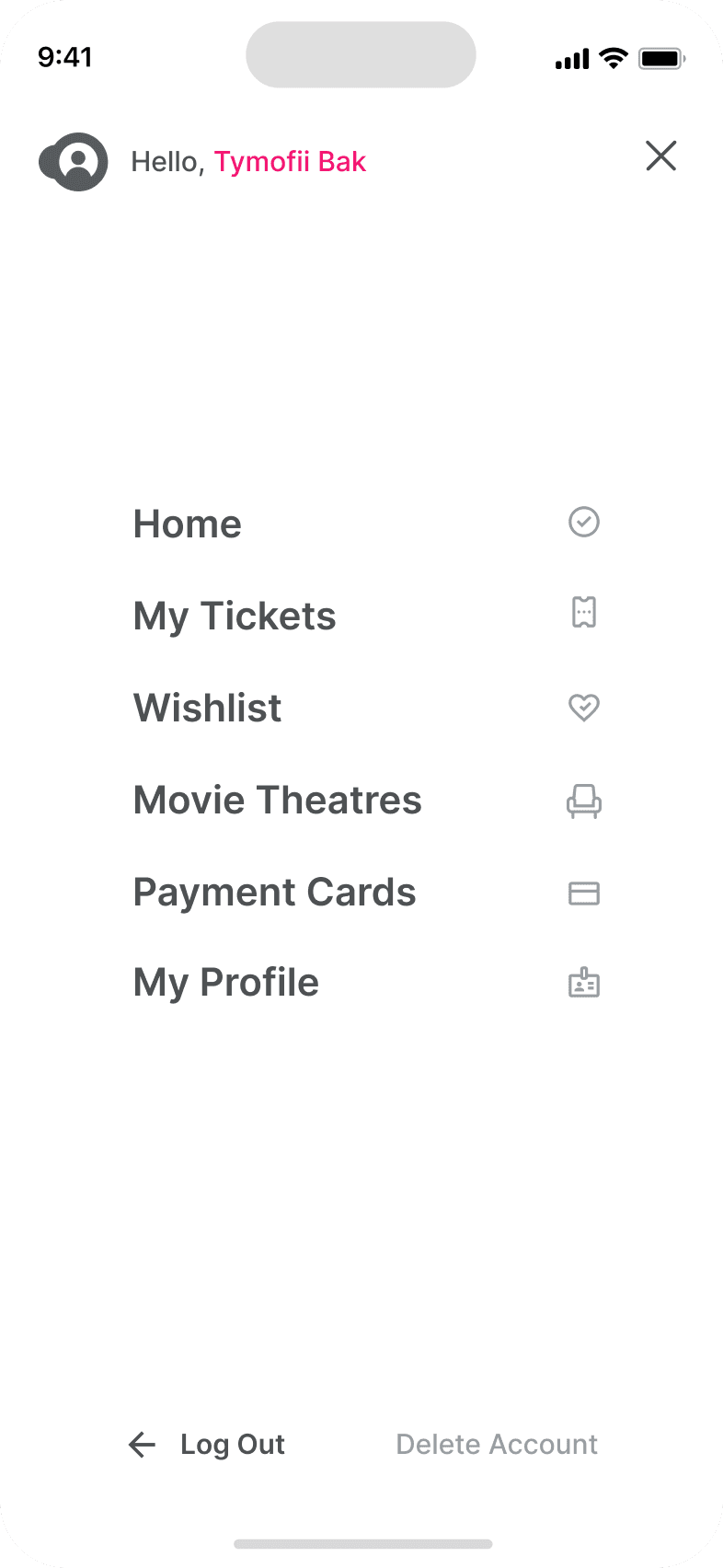
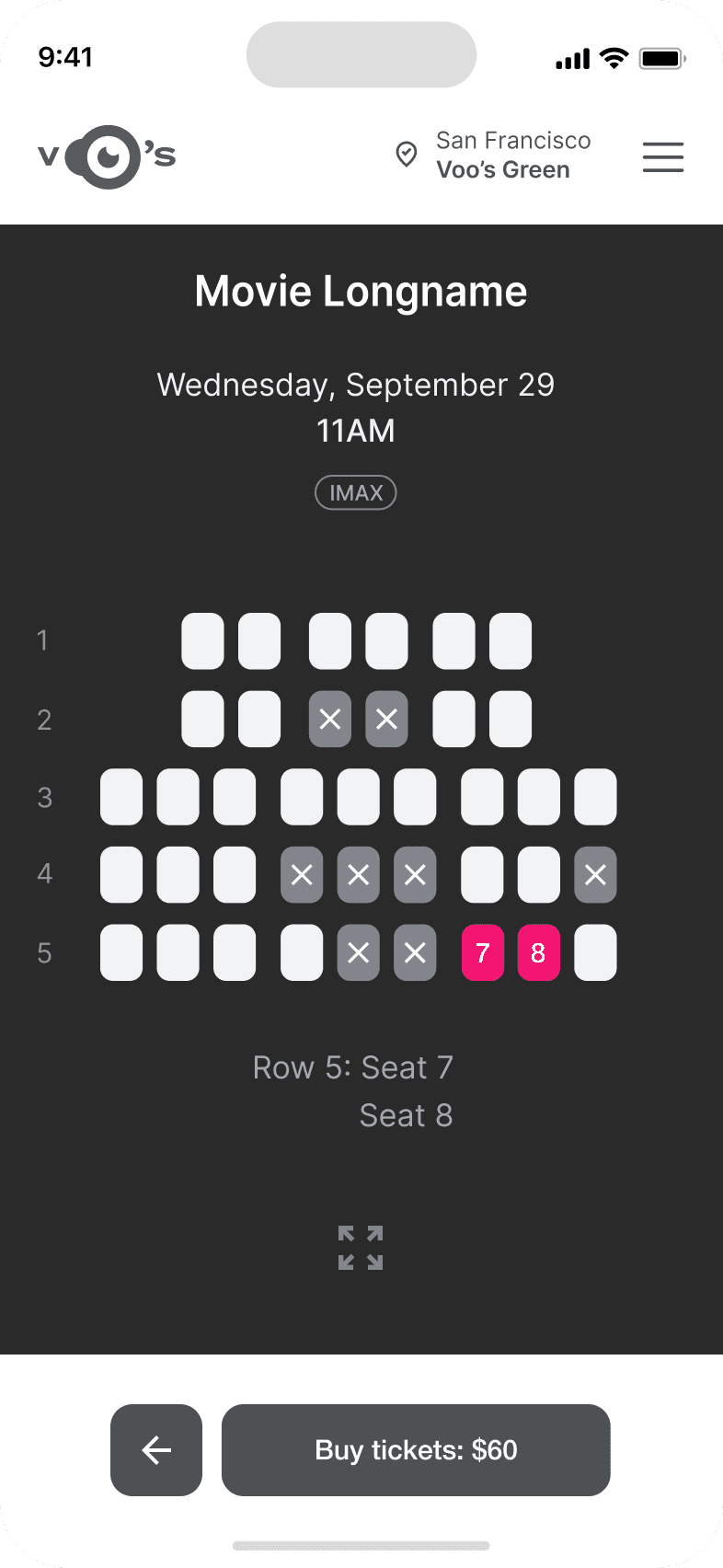
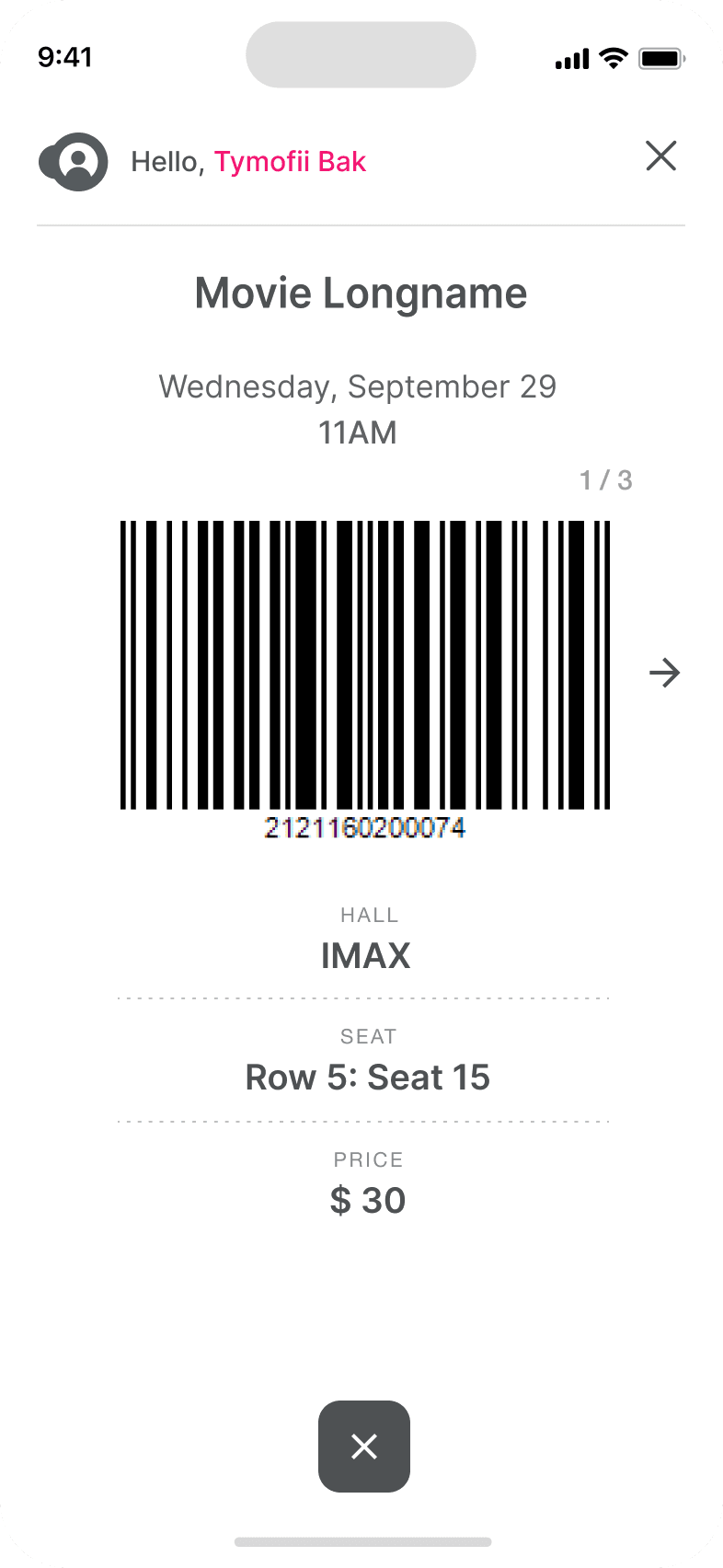
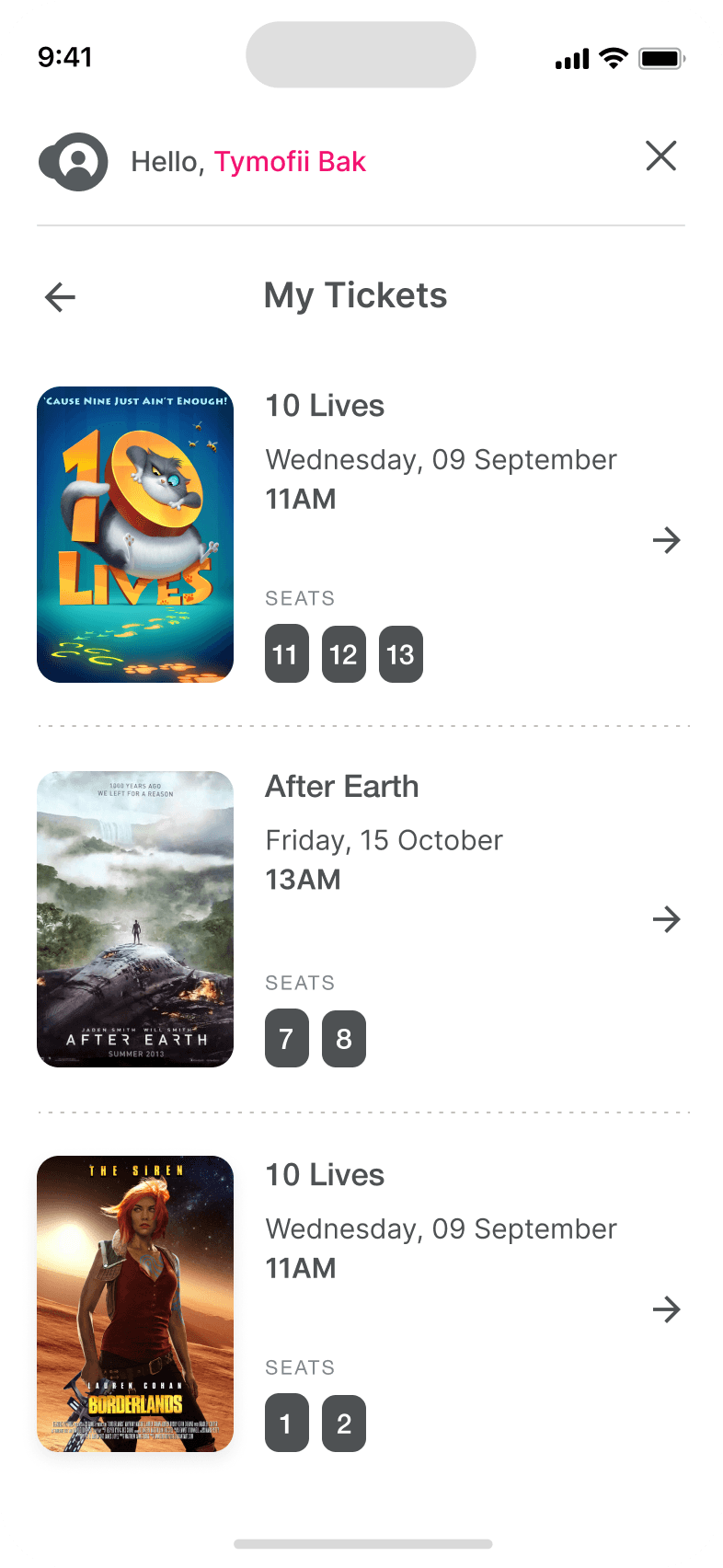
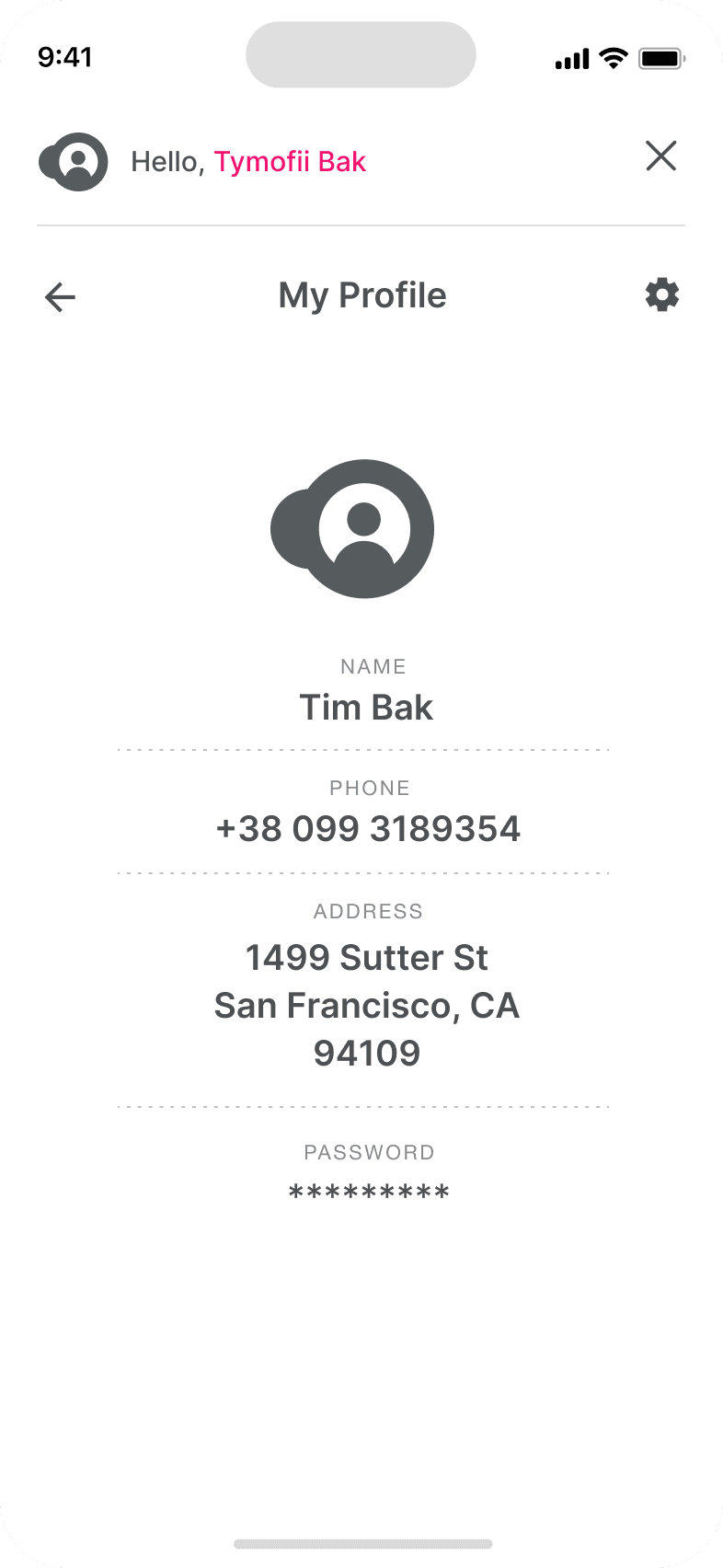
It's the detailed, interactive version of designs that closely match the look and feel of the final product.
I turned my mockups into a prototype that's ready for testing, using gestures and motion, which can help enrich the user experience and increase the usability of the app.

City and cinema theater selection
Movies slideshow
List of movies + search option
Separate movie page, adding to favourites
Show selection: date and time, hall and seats
Adding selected seats
Calendar with results filtering
Menu and its sections
I created various diagrams and storyboards to clarify and analyze the app's information and architecture. Afterward, I sketched paper wireframes and then transitioned to digital wireframes, building a low-fidelity prototype to conduct initial usability studies with stakeholders.
The series of hand-drawing frames that visually describe and explore a user's experience with a product.
Our target users have found Voo's design to be intuitive, user-friendly, and easy to use: choose a movie, select seats, and buy tickets.
The key lesson I learned is that even minor changes can significantly impact the user experience. My biggest takeaway is to always prioritize the genuine needs of the user.
The series of hand-drawing frames that visually describe and explore a user's experience with a product.
Conduct follow-up usability testing on the new app iteration.
Identify any additional areas of need and ideate on new features.